
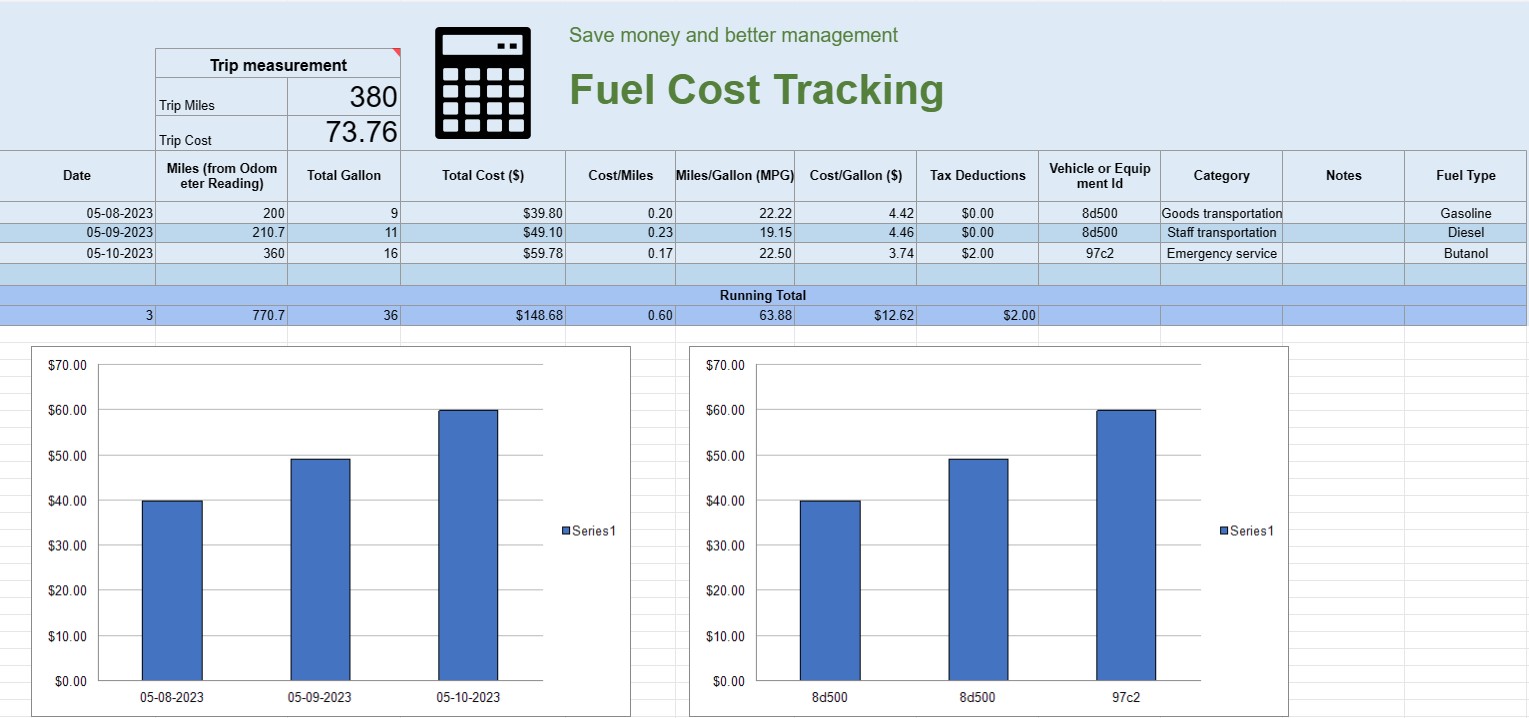
Відстеження вартості палива
Категорія : Трекери
Ви можете використовувати це для відстеження експлуатаційних витрат транспортного засобу, воно пропонує формули для автоматизації розрахунку.


Таблица отслеживания затрат на топливо – это цифровой документ или таблица, которую отдельные лица, предприятия и организации используют для записи, анализа и управления расходами, связанными с расходом топлива транспортными средствами или оборудованием. Он обеспечивает структурированный формат для документирования покупок топлива, расчета эффективности использования топлива и отслеживания общих затрат на топливо с течением времени.
Вот ключевые компоненты, которые обычно встречаются в электронной таблице отслеживания затрат на топливо:
- Дата. Запишите дату покупки топлива. Это помогает вести хронологическую запись транзакций.
- Идентификатор транспортного средства или оборудования: Определите конкретное транспортное средство или оборудование, для которого приобретается топливо. Это особенно полезно для отслеживания расходов, связанных с несколькими транспортными средствами или машинами.
- Показания одометра. Для транспортных средств записывайте текущие показания одометра во время заправки. Это позволяет отслеживать расстояние, пройденное между заправками.
- Тип топлива: Укажите тип приобретаемого топлива (например, бензин, дизельное топливо, природный газ, электричество).
- Закуплено в галлонах/литрах: Документируйте количество закупленного топлива в галлонах или литрах.
- Цена за единицу: Обратите внимание на стоимость за единицу топлива. единица топлива, обычно в долларах или местной валюте.
- Общая стоимость. Автоматически рассчитывает общую стоимость покупки топлива путем умножения количества купленных галлонов/литров на цену за единицу топлива.
- Пробег/километр. Рассчитайте и запишите пройденное расстояние между текущей и предыдущей заправкой. Это можно вычислить, вычитая предыдущие показания одометра из текущих.
- Топливная эффективность (миль на галлон или л/100 км): Рассчитайте и запишите топливную экономичность в милях на галлон ( MPG) или литры на 100 километров (л/100км). Чтобы рассчитать MPG, разделите пройденное расстояние на израсходованное топливо. Чтобы рассчитать л/100 км, разделите расход топлива (в литрах) на пройденное расстояние (в километрах).
- Примечания: Включите все соответствующие примечания или комментарии о покупке топлива, например, расположение заправочной станции или проведенное техническое обслуживание.
- Промежуточная сумма: Ведение промежуточной суммы затрат на топливо с течением времени. Это поможет вам отслеживать совокупные расходы.
- Диаграммы и графики. Создавайте визуальные представления расхода топлива и затрат с течением времени, используя диаграммы или графики, чтобы лучше визуализировать тенденции и закономерности.
- Категория или цель. Классифицируйте расходы на топливо в зависимости от цели, например для личного использования, коммерческого использования или конкретных проектов. Это поможет вам точно распределить расходы.
- Налоговые вычеты: Если применимо, задокументируйте расходы на топливо, которые имеют право на налоговые вычеты или возмещение.
Вы можете создать таблицу отслеживания затрат на топливо, используя такое программное обеспечение, как Microsoft Excel, Google Sheets или специализированное программное обеспечение для бухгалтерского учета. Шаблоны для отслеживания затрат на топливо часто доступны в Интернете, и их можно настроить в соответствии с вашими конкретными потребностями. Регулярное обновление и анализ данных в таблице отслеживания затрат на топливо поможет вам принимать обоснованные решения о расходе топлива, составлении бюджета и оптимизации эффективности ваших транспортных средств или оборудования.
Легкий попередній перегляд і завантаження шаблону електронної таблиці
Перегляньте повну версію шаблону електронної таблиці без обмежень, щоб дізнатися, чи він вам подобається, а потім ви можете завантажити шаблон excel, щоб зберегти його на своєму пристрої та використовувати безкоштовно.
Отримуйте доступ до шаблону електронної таблиці будь-де
Це працює на всіх популярних операційних системах, таких як Windows, MacOS, Linux, iOS. Ви можете переглянути шаблони таблиць і завантажити їх без додаткових програм.
Як користуватися шаблоном
Дізнайтесь, як попередньо переглянути, завантажити та використати шаблон електронної таблиці, дотримуючись надзвичайно простих кроків
Більше схожих шаблонів
Перегляньте більше шаблонів електронних таблиць, які належать до тієї ж категорії, що й вибраний.













