Yearly Calendar 1
دسته بندی : تقویم ها
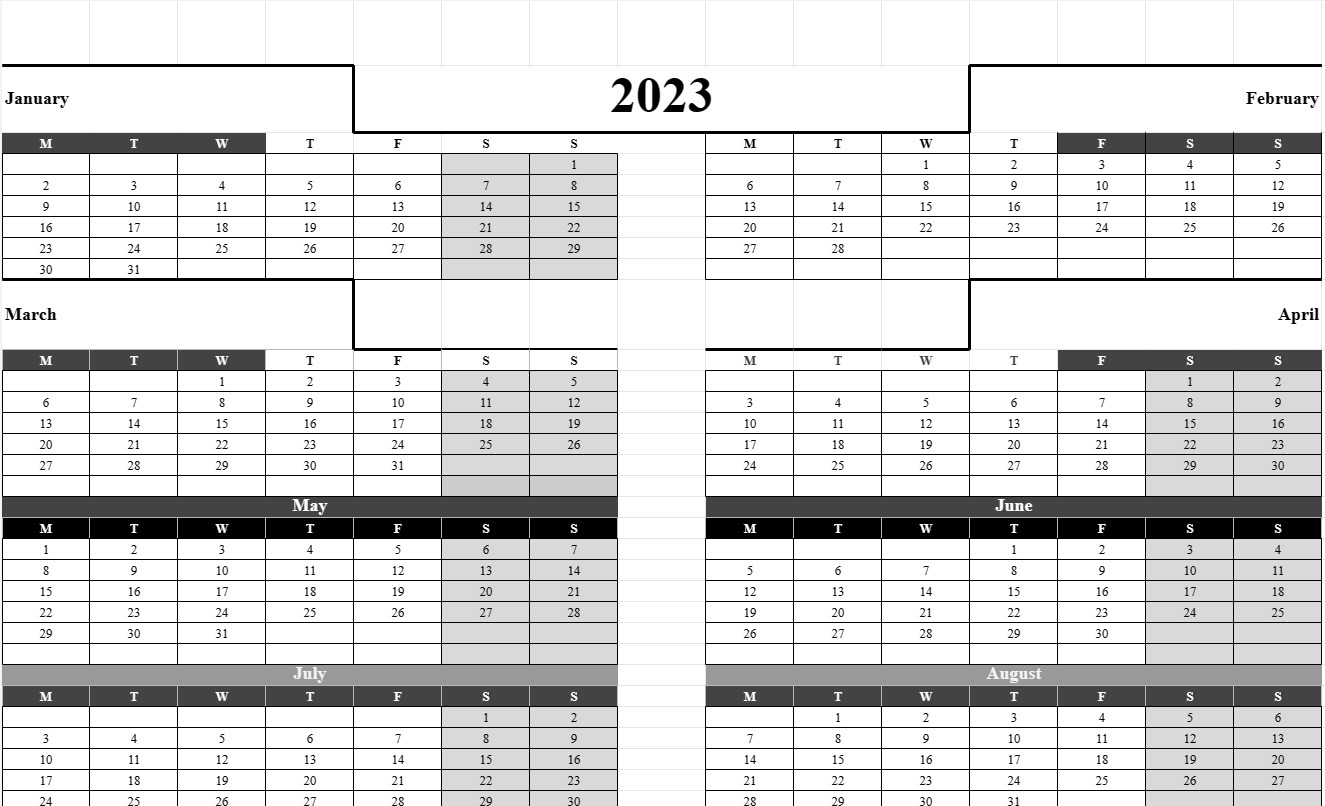
You give it a year, and it will create you a calendar, this is very easy to use and has a neat and professional design.
The Yearly Calendar Template is a versatile and essential tool that provides an overview of an entire year on a single page. This template is widely used for personal, professional, and organizational planning, helping individuals and groups to visualize important dates, events, holidays, and deadlines over the course of a year. Whether it's for personal scheduling, project planning, or coordinating activities, the Yearly Calendar Template offers a comprehensive view of the year ahead.
Let's explore the key components and elements typically included in a Yearly Calendar Template:
- Year: The template prominently displays the year for which the calendar is created, allowing users to quickly identify and reference the specific year they are interested in.
- Months: The calendar typically divides the year into twelve months, with each month represented by a separate section or column. Each month includes the name of the month and the corresponding days and dates.
- Weekdays: The days of the week (Monday, Tuesday, Wednesday, etc.) are listed across the top of the calendar, making it easy to identify which days certain dates fall on.
- Date Grid: The primary feature of the template is the date grid, where each day of the month is represented by a numbered cell. Users can enter events, appointments, or other important information in the cells corresponding to specific dates.
- Holidays and Special Dates: Some templates include markers or indicators for public holidays, special observances, or other significant dates. This helps users plan around holidays and special events.
- Notes or Memo Section: Space is often provided at the bottom or side of the template for users to jot down notes, goals, or reminders for the year.
- Highlighted or Customizable Dates: Users may have the option to highlight or customize certain dates to draw attention to specific events, milestones, or deadlines.
- Color Coding: To aid in organization, some users employ color-coding schemes to categorize and differentiate types of events or commitments.
- Weekend Shading: Weekends (Saturdays and Sundays) are often shaded or visually distinguished from weekdays to provide a clear distinction.
- Printing Options: The template is designed to be printer-friendly, allowing users to easily print a hard copy for reference or to share with others.
The Yearly Calendar Template offers several key advantages for individuals and organizations:
- Year-Long Planning: It provides a comprehensive view of the entire year, allowing users to plan and schedule events and commitments well in advance.
- Organization: Users can keep track of important dates, deadlines, and appointments, reducing the risk of forgetting or overlooking them.
- Time Management: The calendar facilitates effective time management by providing a visual representation of how time is allocated throughout the year.
- Goal Setting: It supports goal setting and tracking, enabling users to set objectives and allocate time for achieving them.
- Communication: Yearly calendars can be shared with family members, colleagues, or team members to coordinate schedules and activities.
- Holiday Planning: Users can plan vacations and activities around public holidays and special occasions.
In summary, the Yearly Calendar Template is a versatile and user-friendly tool for planning and organizing the year ahead. It enhances time management, facilitates goal setting, and promotes effective scheduling for both personal and professional use.
پیش نمایش آسان و دانلود الگوی صفحه گسترده
نسخه کامل یک قالب صفحهگسترده را بدون هیچ محدودیتی مشاهده کنید تا ببینید آیا آن را دوست دارید یا نه، سپس میتوانید الگوی اکسل را برای ذخیره آن در دستگاه خود دانلود کنید و به صورت رایگان از آن استفاده کنید.
دسترسی به الگوی صفحه گسترده از هر کجا
این بر روی تمام سیستم عامل های محبوب مانند Windows، MacOS، Linux، iOS کار می کند. می توانید قالب های صفحه گسترده را ببینید و بدون برنامه های اضافی دانلود کنید.
نحوه استفاده از قالب
نحوه پیشنمایش، دانلود و سپس استفاده از الگوی صفحهگسترده را با دنبال کردن مراحلی که انجام آن بسیار آسان است، بیابید.
الگوهای مشابه بیشتر
الگوهای صفحهگسترده بیشتری را مشاهده کنید که در یک دسته با الگوی انتخابی قرار دارند.