
Sledování nákladů na palivo
Kategorie : Sledovači
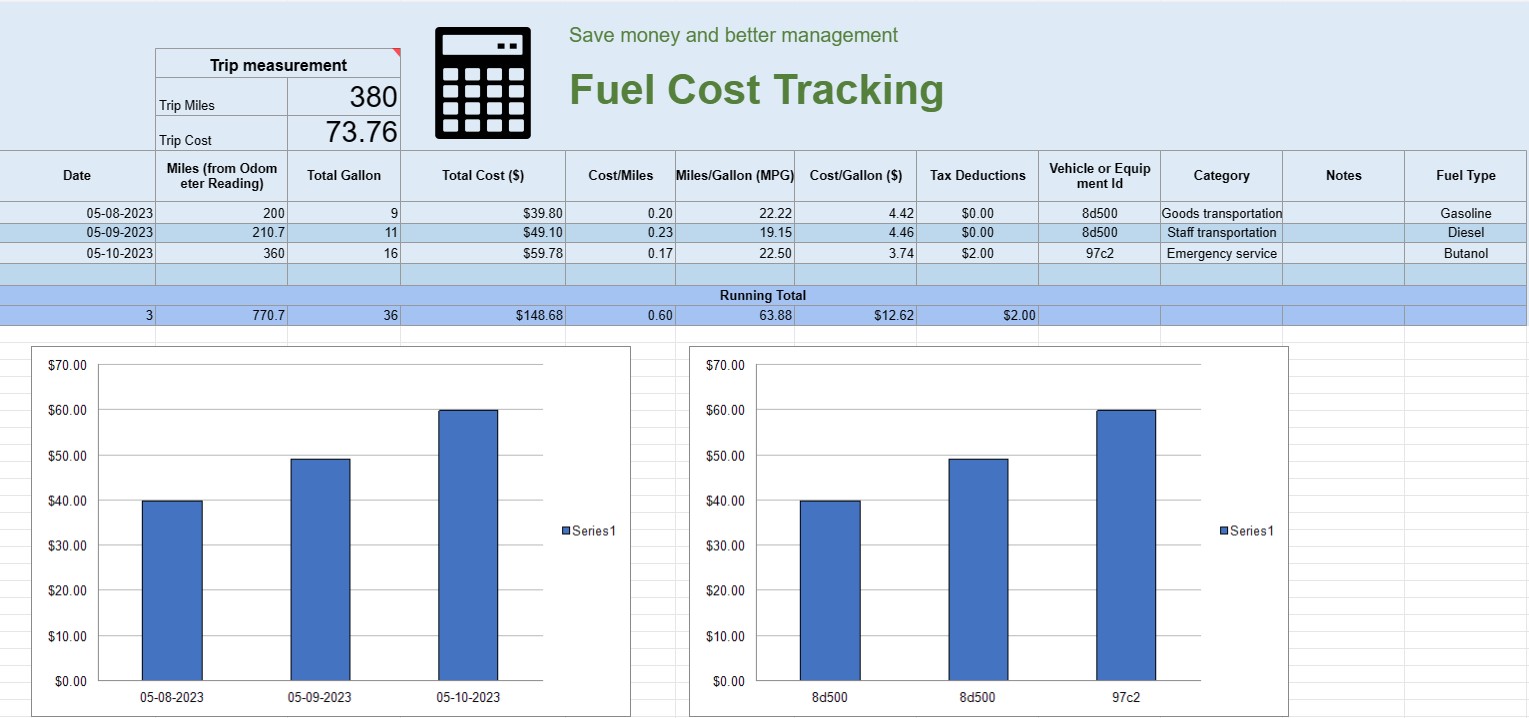
Můžete to použít ke sledování provozních nákladů vozidla, nabízí vám vzorce pro automatizaci výpočtu.
Tabulka pro sledování nákladů na palivo je digitální dokument nebo tabulka, kterou jednotlivci, firmy nebo organizace používají k zaznamenávání, analýze a správě výdajů souvisejících se spotřebou paliva pro vozidla nebo zařízení. Poskytuje strukturovaný formát pro dokumentaci nákupů paliva, výpočet účinnosti paliva a sledování celkových nákladů na palivo v průběhu času.
Zde jsou klíčové komponenty, které se obvykle nacházejí v tabulce pro sledování nákladů na palivo:
- Datum: Zaznamenejte si datum nákupu paliva. To pomáhá vytvořit chronologický záznam transakcí.
- ID vozidla nebo vybavení: Identifikujte konkrétní vozidlo nebo vybavení, pro které se palivo kupuje. To je užitečné zejména pro sledování výdajů spojených s více vozidly nebo stroji.
- Údaj z počítadla ujetých kilometrů: U vozidel zaznamenávejte aktuální stav počítadla kilometrů v době doplňování paliva. To vám umožní sledovat vzdálenost ujetou mezi tankovacími událostmi.
- Typ paliva: Zadejte typ kupovaného paliva (např. benzín, nafta, zemní plyn, elektřina).
- Zakoupené galony/litry: Zdokumentujte množství zakoupeného paliva v galonech nebo litrech.
- Jednotková cena: Poznamenejte si cenu za jednotka paliva, obvykle v dolarech nebo místní měně.
- Celkové náklady: Automaticky vypočítá celkovou cenu nákupu paliva vynásobením zakoupených galonů/litrů jednotkovou cenou.
- Ujeté kilometry/kilometráž: Vypočítejte a zaznamenejte vzdálenost ujetou mezi aktuálním a předchozím tankováním. Tu lze vypočítat odečtením předchozího počítadla kilometrů od aktuálního.
- Účinnost paliva (MPG nebo L/100 km): Vypočítejte a zaznamenejte spotřebu paliva v mílích na galon ( MPG) nebo litrů na 100 kilometrů (l/100 km). Pro výpočet MPG vydělte ujetou vzdálenost spotřebovaným palivem. Chcete-li vypočítat L/100 km, vydělte spotřebované palivo (v litrech) ujetou vzdáleností (v kilometrech).
- Poznámky: Zahrňte všechny relevantní poznámky nebo komentáře k nákupu paliva, jako je umístění čerpací stanice nebo jakákoli provedená údržba.
- Průběžný součet: Udržujte průběžný součet nákladů na palivo v průběhu času. To vám pomůže sledovat vaše kumulativní výdaje.
- Grafy a grafy: Vytvářejte vizuální reprezentace své spotřeby paliva a nákladů v průběhu času pomocí tabulek nebo grafů pro lepší vizualizaci trendů a vzorců.
- Kategorie nebo účel: Kategorizujte výdaje na palivo podle účelu, jako je osobní použití, obchodní využití nebo konkrétní projekty. To vám může pomoci přesně rozdělit náklady.
- Daňové odpočty: V případě potřeby zdokumentujte výdaje na pohonné hmoty, které jsou způsobilé pro daňové odpočty nebo refundace.
Můžete vytvořit tabulku pro sledování nákladů na palivo pomocí softwaru, jako je Microsoft Excel, Google Sheets nebo specializovaného účetního softwaru. Šablony pro sledování nákladů na palivo jsou často dostupné online a lze je upravit tak, aby vyhovovaly vašim konkrétním potřebám. Pravidelná aktualizace a analýza dat ve vaší tabulce sledování nákladů na palivo vám může pomoci činit informovaná rozhodnutí o spotřebě paliva, sestavování rozpočtu a optimalizaci účinnosti pro vaše vozidla nebo vybavení.
Snadný náhled a stažení šablony tabulky
Prohlédněte si plnou verzi šablony tabulky bez omezení a zjistěte, zda se vám líbí, pak si můžete stáhnout šablonu aplikace Excel, uložit ji do zařízení a používat ji zdarma.
Získejte přístup k šabloně tabulky odkudkoli
Toto funguje na všech populárních operačních systémech, jako jsou Windows, MacOS, Linux, iOS. Šablony tabulek si můžete prohlédnout a stáhnout bez dalších programů.
Jak používat šablonu
Zjistěte, jak zobrazit náhled, stáhnout a poté použít šablonu tabulky podle kroků, které jsou extrémně snadné
Více podobných šablon
Podívejte se na další šablony tabulek, které jsou ve stejné kategorii jako ta vybraná.













