
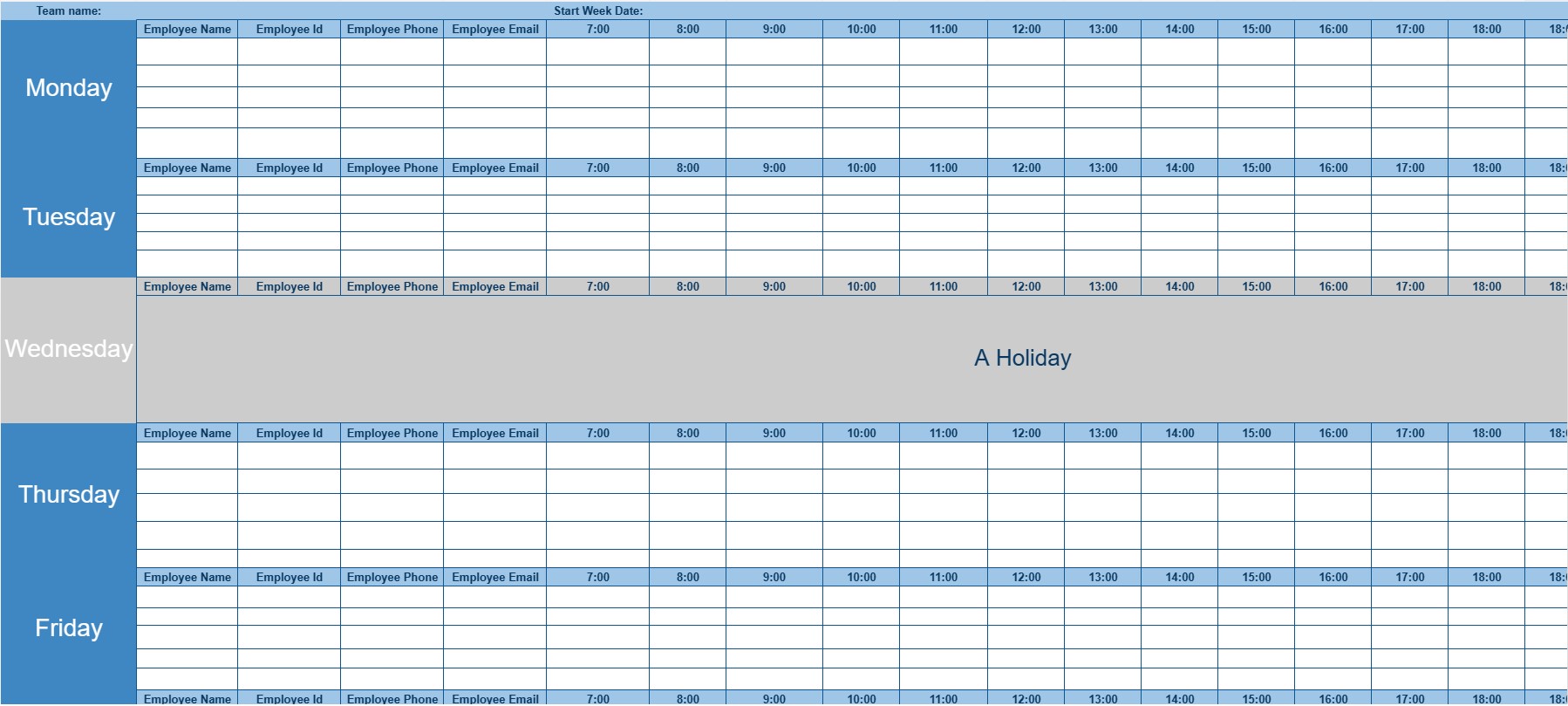
Employee Calendar
Categorie : Planificatori
Keep an eye on the employees and see how they are working is very important, but first you need this template to manage what they are doing everyday.
An Employee Calendar Template is a tool used by organizations and businesses to schedule and manage the work hours and shifts of their employees. It helps employers create clear work schedules, monitor employee availability, and ensure adequate coverage for various shifts and tasks. Employee calendars are essential for maintaining an organized workforce and facilitating efficient operations.
Key Components of an Employee Calendar Template:
- Employee Information: The template includes a list of employees or team members, along with their names, employee IDs, and contact details.
- Date and Time: A calendar grid or table displays dates and times, typically organized by days, weeks, or months.
- Shifts: Each cell in the calendar represents a specific time slot or shift. Employers can assign employees to different shifts based on their roles, skills, and availability.
- Shift Details: Information about each shift is provided, including the shift start and end times, location (if applicable), and any special requirements or instructions.
- Employee Assignments: The template indicates which employees are assigned to each shift or time slot, allowing for easy tracking of who is working at any given time.
- Availability: Some templates include a section for employees to specify their availability for upcoming shifts or days off. This helps in shift planning.
- Overtime Tracking: If applicable, the template may include a section for tracking overtime hours worked by employees.
- Holidays and Time Off: Special dates, holidays, and employee time-off requests are often marked on the calendar to ensure proper scheduling and coverage.
- Notes and Comments: Employers and employees can add notes or comments related to specific shifts, such as shift changes, substitutions, or special instructions.
- Color Coding: Some templates use color-coding to differentiate shifts, employee assignments, or types of leave.
Benefits of Using an Employee Calendar Template:
- Efficient Scheduling: Facilitates the creation of organized and efficient work schedules, minimizing scheduling conflicts.
- Coverage Planning: Ensures that there is adequate coverage for various shifts and tasks, reducing the risk of understaffing.
- Time and Attendance Tracking: Helps employers monitor employee attendance, work hours, and overtime accurately.
- Employee Engagement: Allows employees to view their schedules in advance, promoting work-life balance and employee satisfaction.
- Conflict Resolution: Provides a visual tool for resolving scheduling conflicts or accommodating employee time-off requests.
- Compliance: Helps organizations comply with labor laws and regulations regarding work hours and overtime.
- Communication: Serves as a communication tool to inform employees of their work schedules and any changes.
- Resource Allocation: Aids in efficient allocation of human resources based on workload and demand.
In conclusion, an Employee Calendar Template is a valuable resource for businesses and organizations to plan and manage employee schedules effectively. It promotes efficient workforce management, minimizes scheduling conflicts, and ensures that shifts and tasks are adequately staffed, ultimately contributing to smooth operations and employee satisfaction.
Previzualizare ușoară și descărcare șablon de foaie de calcul
Vizualizați versiunea completă a unui șablon de foaie de calcul fără limitări pentru a vedea dacă vă place, apoi puteți descărca șablonul Excel pentru a-l stoca pe dispozitiv și a-l utiliza gratuit.
Accesați șablonul de foaie de calcul de oriunde
Acesta funcționează pe toate sistemele de operare populare, cum ar fi Windows, MacOS, Linux, iOS. Puteți vedea șabloanele foilor de calcul și le puteți descărca fără programe suplimentare.
Cum se folosește un șablon
Aflați cum să previzualizați, să descărcați și apoi să utilizați șablonul foii de calcul urmând pașii care sunt extrem de ușor de urmat
Mai multe șabloane similare
Vedeți mai multe șabloane de foi de calcul care se află în aceeași categorie cu cel ales.













