Factura Unu
Categorie : Facturi
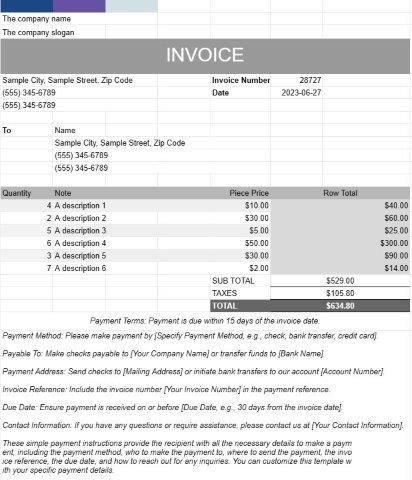
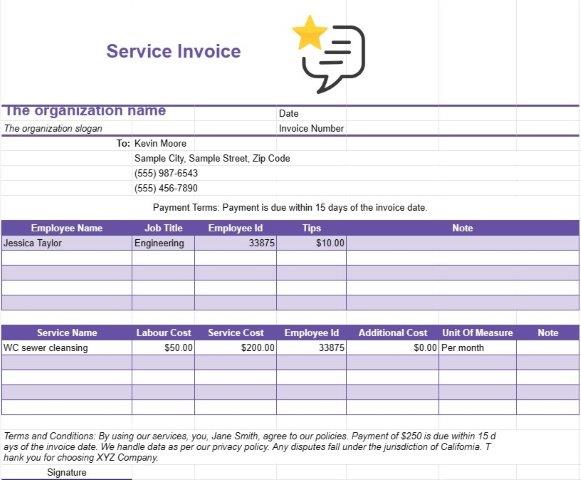
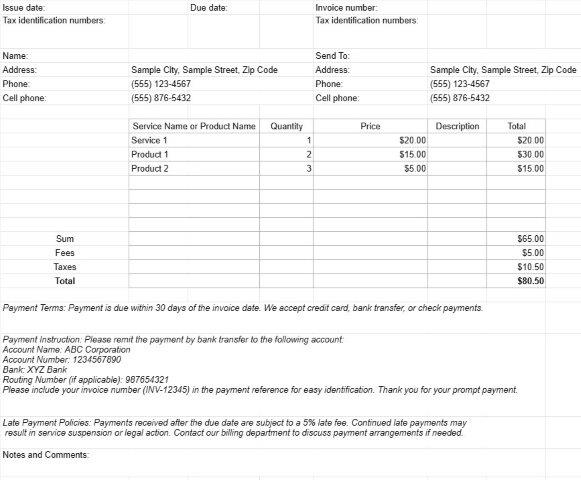
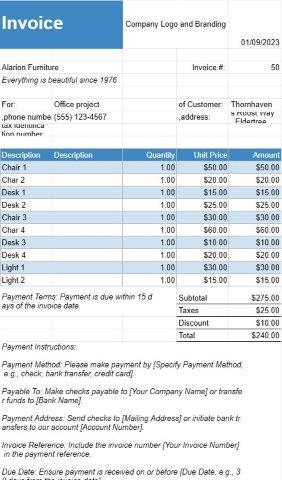
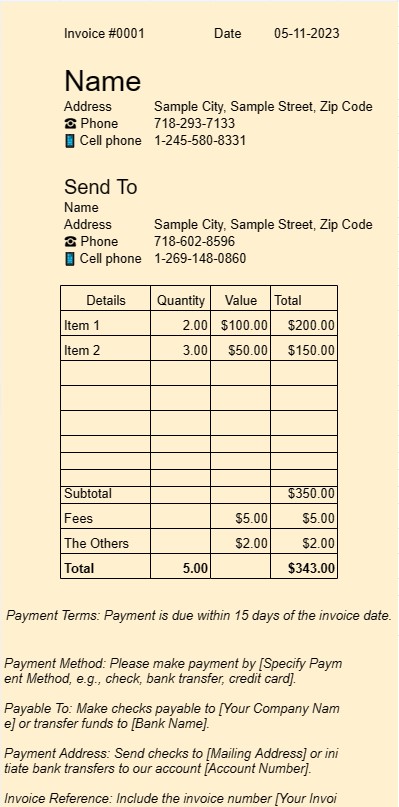
Acesta este un șablon de utilizat ca factură, utilizatorul poate lista servicii sau bunuri pe factură
Un document șablon Invoice One este un format standardizat și profesional utilizat pentru generarea de facturi în diferite setări de afaceri. Este un instrument esențial pentru liber profesioniști, întreprinderile mici și întreprinderile mai mari deopotrivă.
Scopul principal al unui document șablon Invoice One este de a facilita facturarea clienților sau clienților pentru produsele vândute sau serviciile prestate. Iată elementele și caracteristicile cheie ale unui document șablon Invoice One:
- Informații despre client:, de obicei, include câmpuri pentru numele clientului sau numele companiei, informații de contact și Adresa de facturare. Acest lucru asigură că factura ajunge la destinatarul potrivit.
- Detalii factură: această secțiune prezintă detaliile facturii, inclusiv numărul facturii, data emiterii și data scadenței. Numărul unic al facturii ajută atât expeditorul, cât și destinatarul să facă referire cu ușurință la factura.
- Taxele detaliate: Inima unei facturi se află în lista detaliată a produselor sau serviciilor furnizate. Fiecare element rând include o descriere a produsului sau serviciului, cantitatea, prețul unitar și costul total. Acest nivel de detaliu asigură transparență și claritate în procesul de facturare.
- Subtotaluri și totaluri: șablonul calculează automat subtotalurile pentru elementele rând individuale și le calculează pentru a afișa suma totală datorată . Poate include, de asemenea, câmpuri pentru taxe, reduceri și taxe de transport, în funcție de natura tranzacției.
- Termeni de plată: Șabloanele Invoice One includ adesea o secțiune care specifică condițiile de plată , cum ar fi data scadentă și metodele de plată acceptabile. Termenii de plată clari ajută la evitarea confuziei și asigură plățile în timp util.
- Note suplimentare:, de obicei, există spațiu pentru adăugarea de note sau comentarii suplimentare, permițând expeditorului să ofere orice context sau instrucțiuni necesare.
- Sigla companiei: multe companii aleg să includă sigla companiei lor pe factură în scopuri de branding. Acest lucru întărește profesionalismul facturii.
- Informații de contact: șablonul afișează de obicei informațiile de contact ale companiei sau persoanei care trimite factura. Acest lucru asigură că destinatarul poate contacta cu ușurință pentru orice întrebări sau clarificări.
- Păstrarea evidenței: facturile generate folosind un document șablon Invoice One servesc drept înregistrări esențiale atât pentru expeditor, cât și pentru destinatar. Acestea documentează detaliile tranzacției, care pot fi utile în scopuri contabile, fiscale și de soluționare a litigiilor.
- Personalizare: unul dintre avantajele utilizării șabloanelor este capacitatea de a le personaliza pentru se potrivesc nevoilor specifice ale afacerii. Utilizatorii pot adapta șablonul pentru a se potrivi cu marca lor, pot adăuga sau elimina câmpuri după cum este necesar și îl pot adapta la diferite tipuri de tranzacții.
În concluzie, un document șablon Invoice One simplifică procesul de facturare, sporește profesionalismul și ajută companiile și freelancerii să fie plătiți prompt pentru produsele sau serviciile lor. Este un instrument indispensabil pentru gestionarea aspectelor financiare ale oricărei afaceri.
Previzualizare ușoară și descărcare șablon de foaie de calcul
Vizualizați versiunea completă a unui șablon de foaie de calcul fără limitări pentru a vedea dacă vă place, apoi puteți descărca șablonul Excel pentru a-l stoca pe dispozitiv și a-l utiliza gratuit.
Accesați șablonul de foaie de calcul de oriunde
Acesta funcționează pe toate sistemele de operare populare, cum ar fi Windows, MacOS, Linux, iOS. Puteți vedea șabloanele foilor de calcul și le puteți descărca fără programe suplimentare.
Cum se folosește un șablon
Aflați cum să previzualizați, să descărcați și apoi să utilizați șablonul foii de calcul urmând pașii care sunt extrem de ușor de urmat
Mai multe șabloane similare
Vedeți mai multe șabloane de foi de calcul care se află în aceeași categorie cu cel ales.