Viena sąskaita faktūra
Kategorija : Sąskaitos faktūros
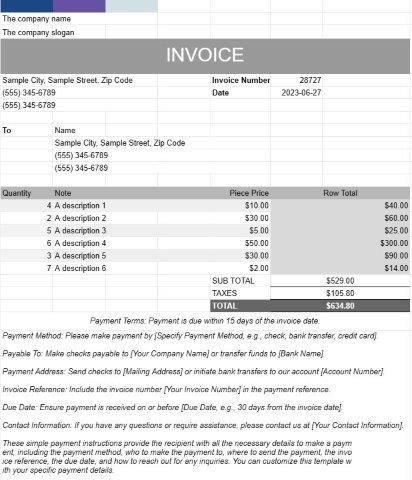
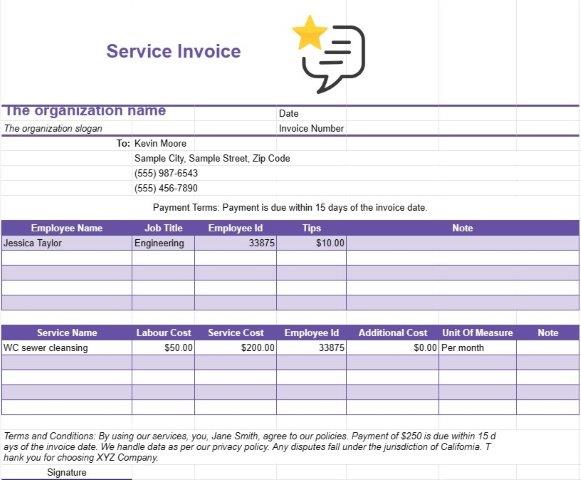
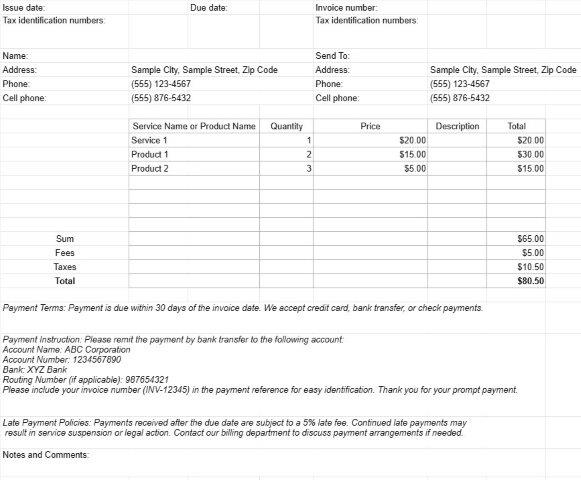
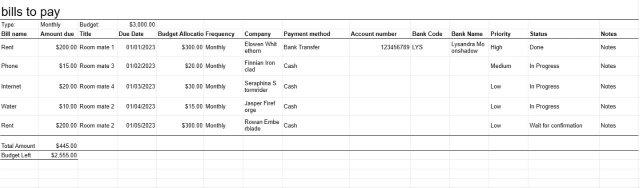
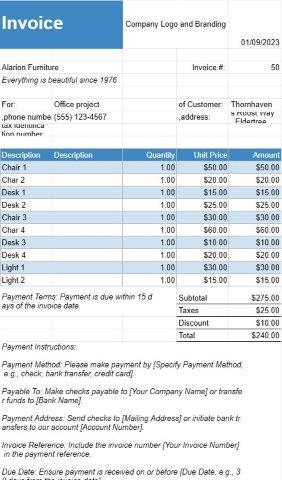
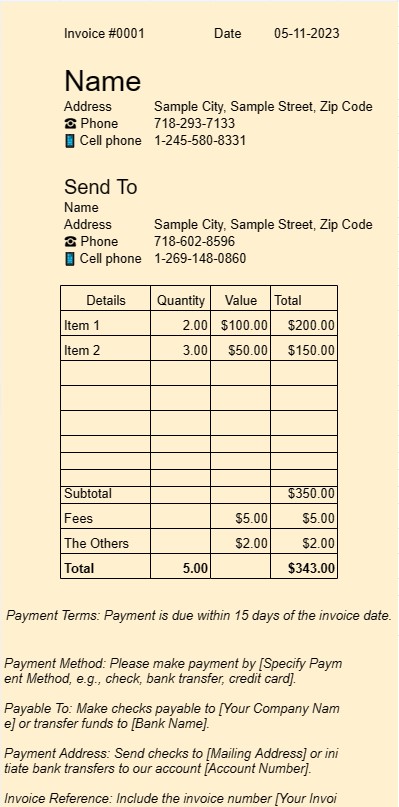
Tai šablonas, skirtas naudoti kaip sąskaita faktūra, vartotojas sąskaitoje faktūroje gali nurodyti paslaugas ar prekes
Sąskaitos faktūros šablono dokumentas yra standartizuotas ir profesionalus formatas, naudojamas sąskaitoms faktūroms generuoti įvairiose verslo nuostatose. Tai labai svarbus įrankis laisvai samdomiems darbuotojams, mažoms įmonėms ir didesnėms įmonėms.
Pagrindinis „Invoice One“ šablono dokumento tikslas yra palengvinti atsiskaitymą klientams arba klientams už parduotus produktus ar suteiktas paslaugas. Čia pateikiami pagrindiniai „Invoice One“ šablono dokumento elementai ir funkcijos:
- Kliento informacija: paprastai apima laukelius, skirtus kliento vardui arba įmonės pavadinimui, kontaktinei informacijai ir atsiskaitymo adresas. Taip užtikrinama, kad sąskaita faktūra pasieks tinkamą gavėją.
- Išsami sąskaitos faktūros informacija: šioje skiltyje aprašomi sąskaitos faktūros ypatumai, įskaitant sąskaitos faktūros numerį, išrašymo datą ir mokėjimo datą. Unikalus sąskaitos faktūros numeris padeda siuntėjui ir gavėjui lengvai nurodyti sąskaitą faktūrą.
- Išskirstyti mokesčiai: sąskaitos faktūros esmė slypi detaliame teikiamų produktų ar paslaugų sąraše. Kiekviename eilutės elemente yra prekės ar paslaugos aprašymas, kiekis, vieneto kaina ir bendra kaina. Toks detalumo lygis užtikrina atsiskaitymo proceso skaidrumą ir aiškumą.
- Tarpinės sumos ir sumos: šablonas automatiškai apskaičiuoja atskirų eilutės elementų tarpines sumas ir jas sulygina, kad būtų parodyta visa skolinga suma. . Jame taip pat gali būti mokesčių, nuolaidų ir pristatymo mokesčių laukų, atsižvelgiant į operacijos pobūdį.
- Mokėjimo sąlygos: „Invoice One“ šablonuose dažnai yra skyrius, nurodantis mokėjimo sąlygas. , pvz., mokėjimo terminas ir priimtini mokėjimo būdai. Aiškios mokėjimo sąlygos padeda išvengti painiavos ir užtikrina, kad mokėjimai būtų atliekami laiku.
- Papildomos pastabos: paprastai yra vietos pridėti papildomų pastabų ar komentarų, leidžiančių siuntėjui pateikti reikiamą kontekstą ar instrukcijas.
- Įmonės logotipas: daugelis įmonių pasirenka įtraukti įmonės logotipą į sąskaitą faktūrą prekės ženklo naudojimo tikslais. Tai sustiprina sąskaitos faktūros profesionalumą.
- Kontaktinė informacija: šablone paprastai rodoma sąskaitą faktūrą siunčiančios įmonės arba asmens kontaktinė informacija. Taip užtikrinama, kad gavėjas galėtų lengvai kreiptis į bet kokias užklausas ar paaiškinimus.
- Įrašų saugojimas: sąskaitos faktūros, sugeneruotos naudojant „Invoice One“ šablono dokumentą, yra pagrindiniai įrašai tiek siuntėjui, tiek Gavėjas. Juose dokumentuojama išsami operacijos informacija, kuri gali būti naudinga apskaitos, mokesčių ir ginčų sprendimo tikslais.
- Tinkinimas: vienas iš šablonų naudojimo pranašumų yra galimybė juos pritaikyti pagal savo poreikius. atitinka konkrečius verslo poreikius. Naudotojai gali pritaikyti šabloną, kad atitiktų savo prekės ženklą, prireikus pridėti arba pašalinti laukus ir pritaikyti jį įvairių tipų operacijoms.
Apibendrinant galima pasakyti, kad „Invoice One“ šablono dokumentas supaprastina sąskaitų faktūrų išrašymo procesą, didina profesionalumą ir padeda įmonėms bei laisvai samdomiems darbuotojams greitai gauti atlyginimą už savo produktus ar paslaugas. Tai nepakeičiamas įrankis tvarkyti bet kokio verslo finansinius aspektus.
Lengva peržiūrėti ir atsisiųsti skaičiuoklės šabloną
Peržiūrėkite visą skaičiuoklės šablono versiją be jokių apribojimų, kad sužinotumėte, ar jis jums patinka, tada galite atsisiųsti „Excel“ šabloną, išsaugoti jį savo įrenginyje ir naudoti jį nemokamai.
Pasiekite skaičiuoklės šabloną iš bet kur
Tai veikia visose populiariose operacinėse sistemose, tokiose kaip Windows, MacOS, Linux, iOS. Skaičiuoklių šablonus galite pamatyti ir atsisiųsti be papildomų programų.
Kaip naudoti šabloną
Išsiaiškinkite, kaip peržiūrėti, atsisiųsti ir naudoti skaičiuoklės šabloną, atlikdami veiksmus, kuriuos atlikti labai paprasta
Daugiau panašių šablonų
Peržiūrėkite daugiau skaičiuoklės šablonų, kurie yra toje pačioje kategorijoje su pasirinktu.