Professional Invoice
범주 : 인보이스
This invoice template is very popular among the industry because of a lot of organization are using this nowadays.
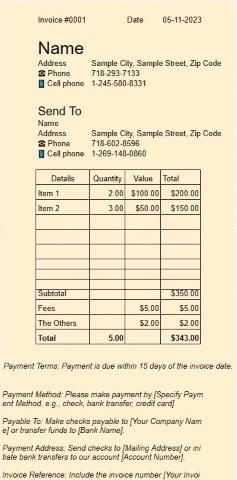
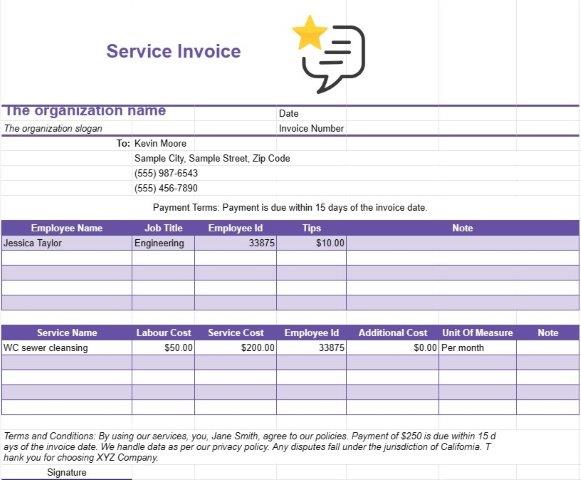
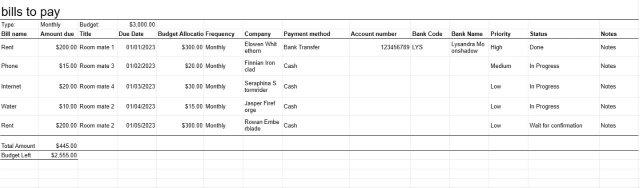
A Professional Invoice template document is a standardized and formal format used by businesses, freelancers, and professionals to bill their clients or customers for goods or services provided. It plays a crucial role in facilitating financial transactions, maintaining professionalism, and ensuring prompt payments.
Here are the key components and purposes of a Professional Invoice template document:
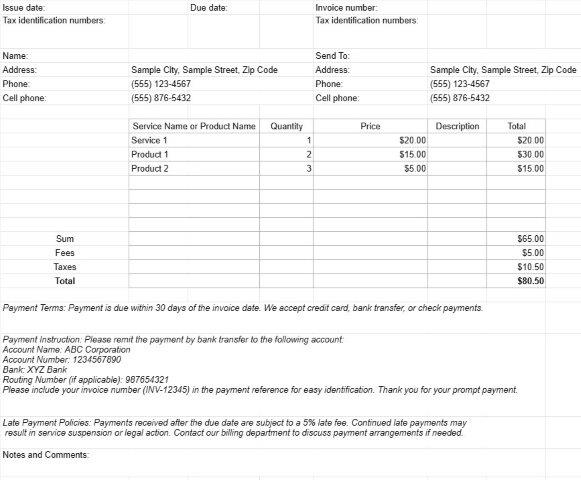
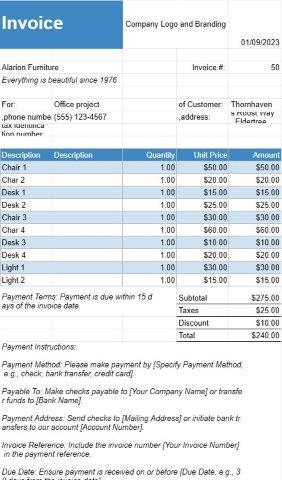
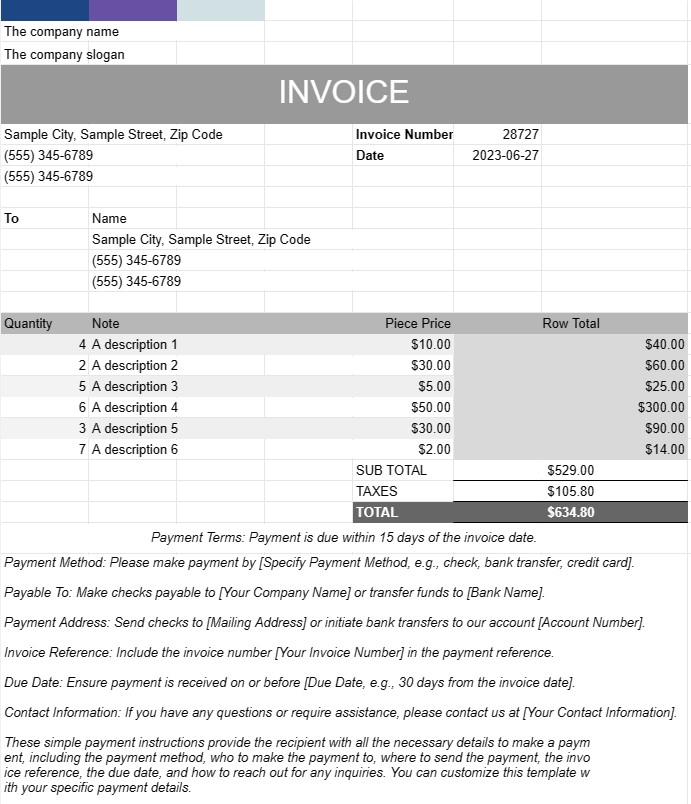
- Business Details: The template typically includes the sender's business name, contact information, address, and any relevant tax identification or registration numbers. This information establishes the identity of the invoicing entity.
- Client Details: The recipient's details, including the client's name, contact information, billing address, and purchase order number (if applicable), are included. This ensures that the invoice reaches the correct recipient and is associated with the appropriate client account.
- Invoice Details: Each invoice is assigned a unique invoice number, and the document specifies the issue date and due date for payment. These details help both the sender and recipient track the invoice's status.
- Itemized Charges: The core of the invoice is the itemized list of products or services provided. Each line item includes a description of the product or service, quantity, unit price, and total cost. This level of detail ensures transparency and clarity in the billing process.
- Subtotals and Totals: The template calculates subtotals for individual line items and tallies them up to display the total amount owed. It may also include fields for taxes, discounts, and shipping charges, depending on the nature of the transaction.
- Payment Terms: Invoice templates often include a section specifying the payment terms, such as the due date and acceptable payment methods. Clear payment terms help avoid confusion and ensure timely payments.
- Payment Instructions: To facilitate payments, the template may provide payment instructions, including bank account details, electronic payment options, or links to online payment portals.
- Late Payment Policies: Some invoices include information about late payment penalties or interest charges for overdue payments. This serves as a reminder of the consequences of delayed payments.
- Notes and Comments: There's usually space for adding additional notes or comments, allowing the sender to provide any necessary context, special instructions, or terms and conditions related to the transaction.
- Record Keeping: Invoices generated using a Professional Invoice template document serve as essential financial records for both the sender and recipient. They document the transaction details, which can be helpful for accounting, tax purposes, and dispute resolution.
- Customization: Professional Invoice templates can be customized to match the branding of the business or individual. Users can add logos, adjust fonts, colors, and layout to create a consistent and professional appearance.
In conclusion, a Professional Invoice template document is a critical tool for businesses and professionals to bill clients accurately, maintain a professional image, and ensure timely payments. It streamlines the invoicing process, reduces administrative tasks, and supports efficient financial management.
간편한 미리보기 및 스프레드시트 템플릿 다운로드
제한 없이 스프레드시트 템플릿의 전체 버전을 보고 마음에 드는지 확인한 다음 Excel 템플릿을 다운로드하여 장치에 저장하고 무료로 사용할 수 있습니다.
어디서나 스프레드시트 템플릿에 액세스
이는 Windows, MacOS, Linux, iOS와 같은 널리 사용되는 모든 운영 체제에서 작동합니다. 별도의 프로그램 없이 스프레드시트 템플릿을 확인하고 다운로드할 수 있습니다.
템플릿을 사용하는 방법
따라하기 매우 쉬운 단계에 따라 스프레드시트 템플릿을 미리 보고, 다운로드하고, 사용하는 방법을 알아보세요.
더 유사한 템플릿
선택한 것과 동일한 카테고리에 있는 더 많은 스프레드시트 템플릿을 확인하세요.