✕︎
Svenska
فارسی
Italiano
Tiếng Việt
Català
Türk
हिन्दी
Čeština
Lietuvis
Ελληνικά
Dansk
Magyar
Български
Deutsch
Bahasa Melayu
Nederlands
Русский
English
Український
Español
Polskie
ภาษาไทย
Português
ქართველი
Français
Română
한국어
Slovák
繁體中文
日本語
Indonesia
العربية
简体中文
송장 1
범주 : 인보이스
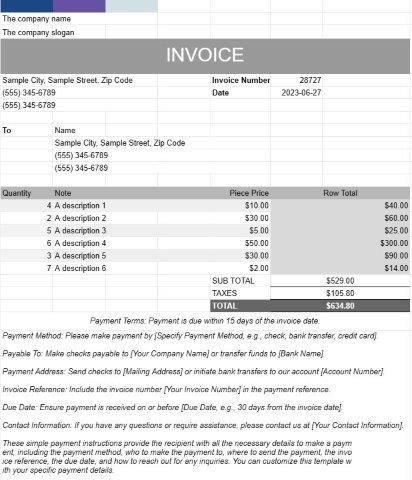
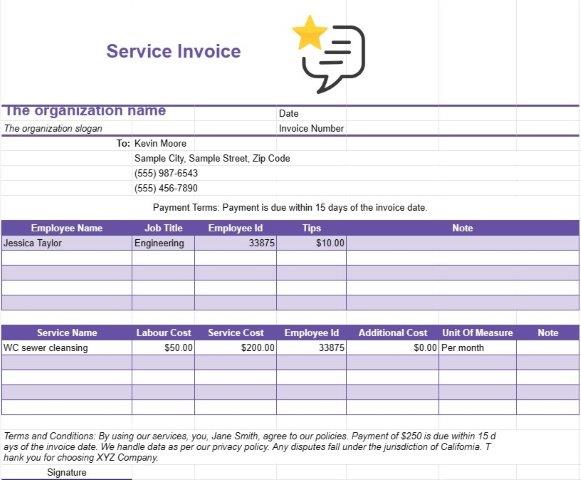
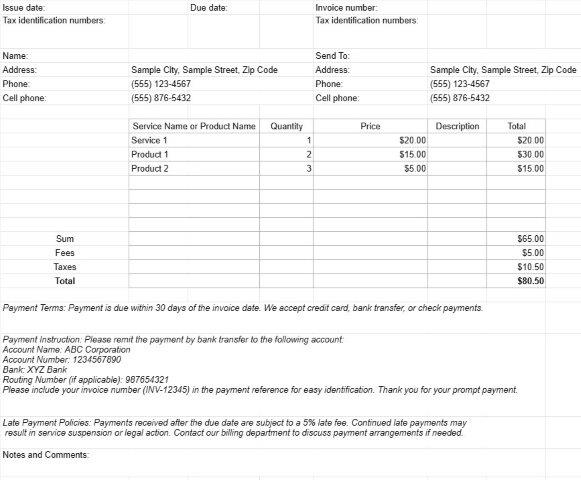
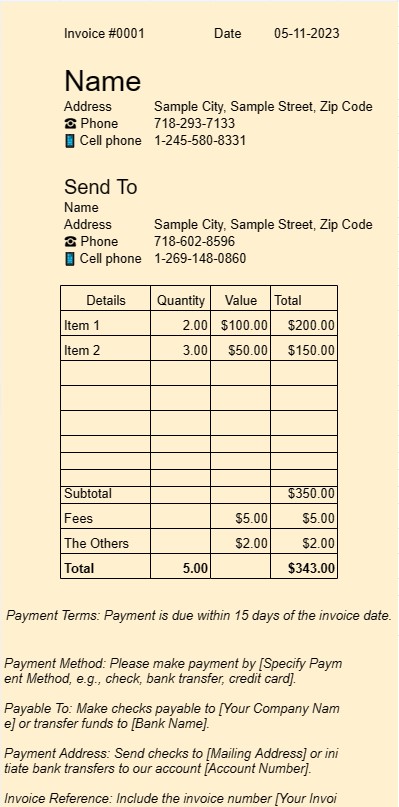
인보이스로 사용할 템플릿입니다. 사용자는 인보이스에 서비스 또는 상품을 나열할 수 있습니다.
Invoice One 템플릿 문서는 다양한 비즈니스 환경에서 송장을 생성하는 데 사용되는 표준화된 전문 형식입니다. 이는 프리랜서, 중소기업 및 대기업 모두를 위한 중요한 도구입니다.
Invoice One 템플릿 문서의 주요 목적은 판매된 제품이나 제공된 서비스에 대해 클라이언트나 고객에게 청구를 용이하게 하는 것입니다. Invoice One 템플릿 문서의 주요 요소와 기능은 다음과 같습니다.
- 고객 정보: 일반적으로 고객 이름이나 회사 이름, 연락처 정보 및 청구 지 주소. 이렇게 하면 인보이스가 올바른 수신자에게 전달됩니다.
- 인보이스 세부정보: 이 섹션에서는 인보이스 번호, 발행일, 만기일 등 인보이스의 구체적인 내용을 간략하게 설명합니다. 고유한 송장 번호는 보내는 사람과 받는 사람 모두 쉽게 송장을 참조하는 데 도움이 됩니다.
- 항목별 요금: 송장의 핵심은 제공되는 제품 또는 서비스의 항목별 목록에 있습니다. 각 품목에는 제품 또는 서비스에 대한 설명, 수량, 단가 및 총 비용이 포함됩니다. 이러한 세부 수준은 청구 프로세스의 투명성과 명확성을 보장합니다.
- 소계 및 총액: 템플릿은 개별 항목에 대한 소계를 자동으로 계산하고 이를 합산하여 지불해야 할 총액을 표시합니다. . 거래 성격에 따라 세금, 할인 및 배송비에 대한 필드도 포함될 수 있습니다.
- 결제 조건: Invoice One 템플릿에는 결제 조건을 지정하는 섹션이 포함되는 경우가 많습니다. , 만기일 및 허용되는 지불 방법 등. 명확한 지불 조건은 혼란을 피하고 시기적절한 지불을 보장하는 데 도움이 됩니다.
- 추가 참고 사항: 일반적으로 추가 메모나 의견을 추가할 수 있는 공간이 있으므로 발신자가 필요한 상황이나 지침을 제공할 수 있습니다.
- 비즈니스 로고: 많은 기업은 브랜드 목적으로 송장에 회사 로고를 포함하기로 선택합니다. 이는 송장의 전문성을 강화합니다.
- 연락처 정보: 템플릿에는 일반적으로 송장을 보내는 기업이나 개인의 연락처 정보가 표시됩니다. 이렇게 하면 수신자가 문의 사항이나 설명을 위해 쉽게 연락할 수 있습니다.
- 기록 보관: Invoice One 템플릿 문서를 사용하여 생성된 송장은 발신자와 수신자 모두에게 필수 기록 역할을 합니다. 받는 사람. 회계, 세금 목적 및 분쟁 해결에 도움이 될 수 있는 거래 세부정보를 문서화합니다.
- 사용자 정의: 템플릿 사용의 장점 중 하나는 템플릿을 다음과 같이 사용자 정의할 수 있다는 것입니다. 특정 비즈니스 요구에 적합합니다. 사용자는 자신의 브랜드와 일치하도록 템플릿을 조정하고, 필요에 따라 필드를 추가 또는 제거하고, 다양한 거래 유형에 맞게 조정할 수 있습니다.
결론적으로 Invoice One 템플릿 문서는 송장 발행 프로세스를 간소화합니다. 전문성을 강화하고 기업과 프리랜서가 제품이나 서비스에 대한 대가를 즉시 받을 수 있도록 돕습니다. 이는 모든 비즈니스의 재정적 측면을 관리하는 데 없어서는 안 될 도구입니다.
간편한 미리보기 및 스프레드시트 템플릿 다운로드
제한 없이 스프레드시트 템플릿의 전체 버전을 보고 마음에 드는지 확인한 다음 Excel 템플릿을 다운로드하여 장치에 저장하고 무료로 사용할 수 있습니다.
어디서나 스프레드시트 템플릿에 액세스
이는 Windows, MacOS, Linux, iOS와 같은 널리 사용되는 모든 운영 체제에서 작동합니다. 별도의 프로그램 없이 스프레드시트 템플릿을 확인하고 다운로드할 수 있습니다.
템플릿을 사용하는 방법
따라하기 매우 쉬운 단계에 따라 스프레드시트 템플릿을 미리 보고, 다운로드하고, 사용하는 방법을 알아보세요.
1
송장, 예산, 달력, 기타 플래너 및 기타 추적기와 같은 카테고리를 선택하고 스프레드시트 템플릿을 클릭하여 온라인으로 확인하세요.
2
스프레드시트 템플릿을 미리 본 후 귀하의 목적에 적합하다고 생각되는 템플릿을 다운로드할 수 있습니다
3
한 번 장치에 파일이 있으면 간단히 데이터를 입력하거나 사용 사례에 맞게 수정할 수 있습니다.
4
스프레드시트 템플릿 작업이 완료되면 원하는 방식으로 사용할 수 있습니다.
더 유사한 템플릿
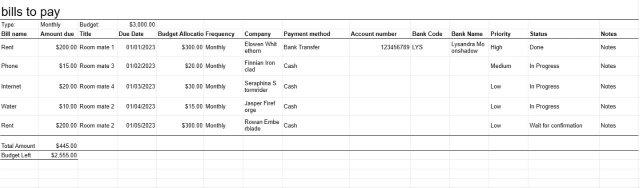
선택한 것과 동일한 카테고리에 있는 더 많은 스프레드시트 템플릿을 확인하세요.