Απλό τιμολόγιο
კატეგორია : ინვოისები
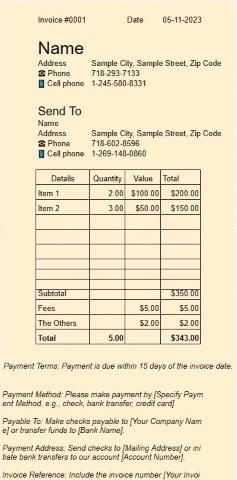
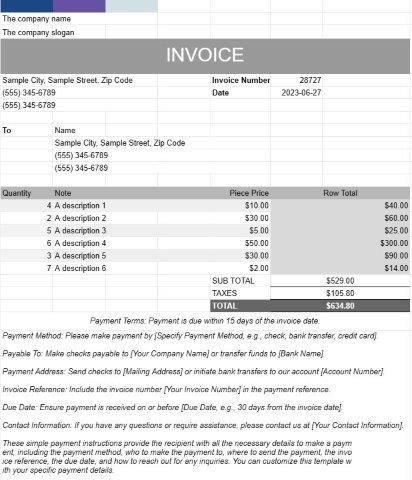
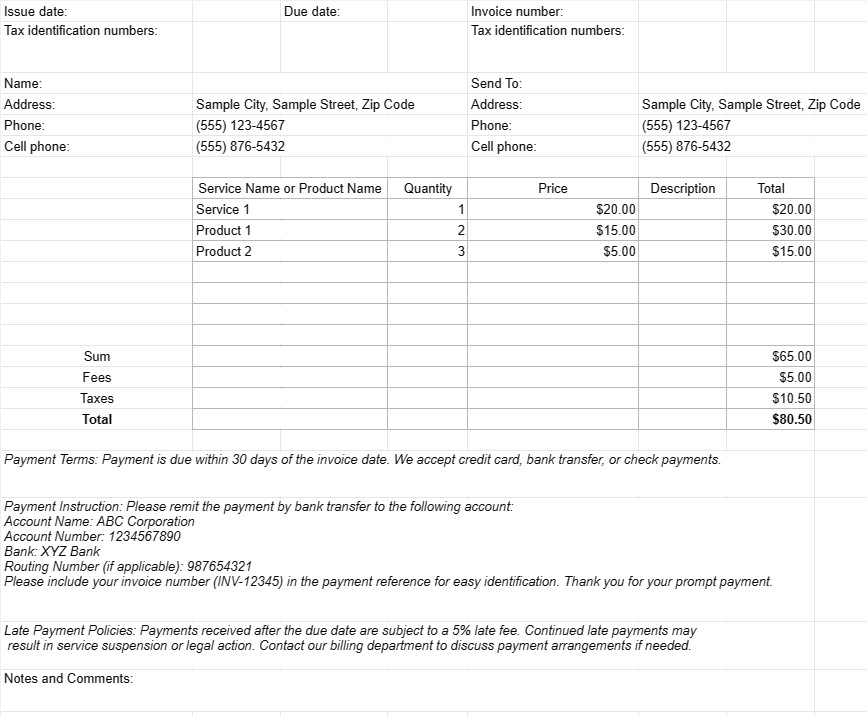
Αυτό είναι ένα απλό τιμολόγιο για χρήση, χωρίς πολλά στυλ και συνθέσεις.
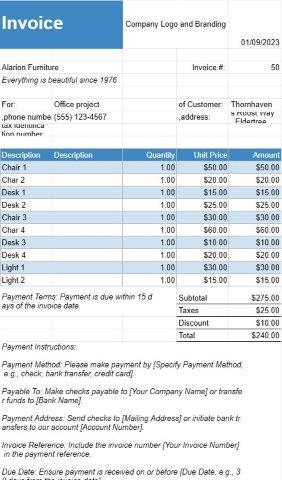
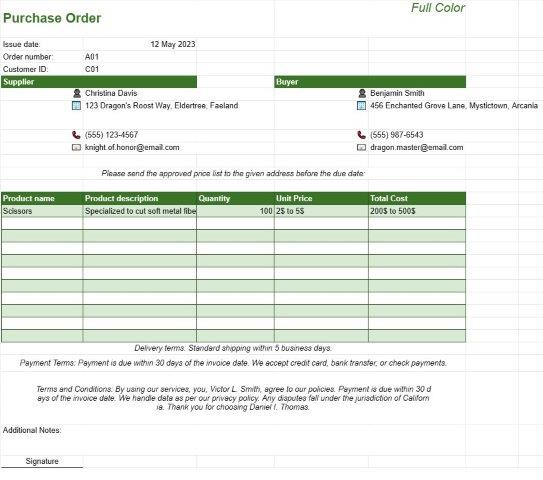
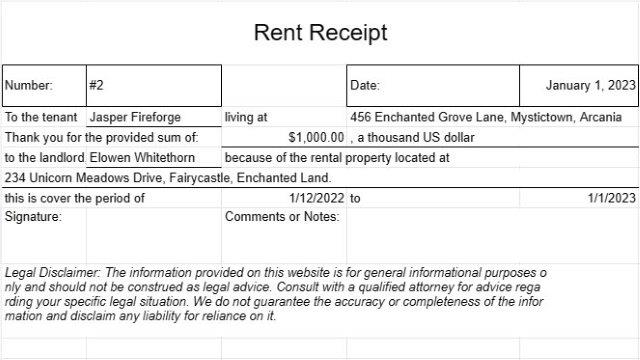
Ένα έγγραφο προτύπου απλού τιμολογίου είναι μια βασική και φιλική προς τον χρήστη μορφή που χρησιμοποιείται από επιχειρήσεις, ελεύθερους επαγγελματίες και ιδιώτες για να χρεώνουν τους πελάτες ή τους πελάτες τους για αγαθά ή υπηρεσίες που παρέχονται. Έχει σχεδιαστεί για να είναι εύκολο να δημιουργηθεί και να κατανοηθεί, καθιστώντας το κατάλληλη επιλογή για μικρές επιχειρήσεις και ανεξάρτητους επαγγελματίες.
Ακολουθούν τα βασικά στοιχεία και οι σκοποί ενός προτύπου εγγράφου απλού τιμολογίου:
- Λεπτομέρειες επιχείρησης: Το πρότυπο περιλαμβάνει συνήθως την επωνυμία της επιχείρησης του αποστολέα, τα στοιχεία επικοινωνίας, τη διεύθυνση και τυχόν σχετικούς αριθμούς εγγραφής ή φορολογικού μητρώου. Αυτές οι πληροφορίες καθορίζουν την ταυτότητα της οντότητας τιμολόγησης.
- Στοιχεία πελάτη: Τα στοιχεία του παραλήπτη, συμπεριλαμβανομένων του ονόματος του πελάτη, των στοιχείων επικοινωνίας, της διεύθυνσης χρέωσης και τυχόν παραγγελίας αγοράς ή αριθμών αναφοράς πελάτη. , συμπεριλαμβάνονται. Αυτό διασφαλίζει ότι το τιμολόγιο φθάνει στον σωστό παραλήπτη και συσχετίζεται με τον σχετικό λογαριασμό πελάτη.
- Λεπτομέρειες τιμολογίου: Σε κάθε τιμολόγιο εκχωρείται ένας μοναδικός αριθμός τιμολογίου και το έγγραφο καθορίζει το πρόβλημα. ημερομηνία και προθεσμία πληρωμής. Αυτές οι λεπτομέρειες βοηθούν τόσο τον αποστολέα όσο και τον παραλήπτη να παρακολουθούν την κατάσταση του τιμολογίου και τις προθεσμίες πληρωμής.
- Περιγραφή αγαθών ή υπηρεσιών: Ο πυρήνας του τιμολογίου είναι μια περιγραφή των αγαθών ή των υπηρεσιών που πωλήθηκαν. αποδοθεί. Οι χρήστες περιλαμβάνουν λεπτομέρειες όπως ονόματα στοιχείων, ποσότητες, τιμές μονάδας και το συνολικό κόστος για κάθε στοιχείο ή υπηρεσία.
- Μερικά σύνολα και σύνολα: Το πρότυπο υπολογίζει τα υποσύνολα για μεμονωμένα στοιχεία γραμμής και τα συγκεντρώνει για να εμφανίσει το συνολικό οφειλόμενο ποσό. Μπορεί επίσης να περιλαμβάνει πεδία για φόρους, εκπτώσεις και τυχόν πρόσθετες χρεώσεις.
- Όροι πληρωμής: Τα απλά πρότυπα τιμολογίων συχνά περιλαμβάνουν μια ενότητα που καθορίζει τους όρους πληρωμής, όπως την ημερομηνία λήξης και αποδεκτούς τρόπους πληρωμής. Οι σαφείς όροι πληρωμής βοηθούν στην αποφυγή σύγχυσης και διασφαλίζουν έγκαιρες πληρωμές.
- Οδηγίες πληρωμής: Για να διευκολυνθούν οι πληρωμές, το πρότυπο μπορεί να παρέχει οδηγίες πληρωμής, συμπεριλαμβανομένων στοιχείων τραπεζικού λογαριασμού, επιλογών ηλεκτρονικής πληρωμής ή συνδέσμων. σε διαδικτυακές πύλες πληρωμών.
- Πολιτικές καθυστερήσεων πληρωμών: Ορισμένα τιμολόγια περιλαμβάνουν πληροφορίες σχετικά με ποινές καθυστερημένης πληρωμής ή χρεώσεις τόκων για ληξιπρόθεσμες πληρωμές. Αυτό χρησιμεύει ως υπενθύμιση των συνεπειών των καθυστερημένων πληρωμών.
- Σημειώσεις και σχόλια: Συνήθως υπάρχει χώρος για την προσθήκη πρόσθετων σημειώσεων ή σχολίων, επιτρέποντας στον αποστολέα να παρέχει οποιοδήποτε απαραίτητο πλαίσιο, ειδικό, οδηγίες ή όρους και προϋποθέσεις που σχετίζονται με τη συναλλαγή.
- Τήρηση αρχείων: Τα τιμολόγια που δημιουργούνται χρησιμοποιώντας ένα έγγραφο προτύπου απλού τιμολογίου χρησιμεύουν ως βασικά οικονομικά αρχεία τόσο για τον αποστολέα όσο και για τον παραλήπτη. Τεκμηριώνουν τα στοιχεία της συναλλαγής, τα οποία μπορεί να είναι χρήσιμα για λογιστικούς, φορολογικούς σκοπούς και επίλυση διαφορών.
- Προσαρμογή: Τα απλά πρότυπα τιμολογίων μπορούν να προσαρμοστούν ώστε να ταιριάζουν με την επωνυμία της επιχείρησης ή άτομο. Οι χρήστες μπορούν να προσθέσουν λογότυπα, να προσαρμόσουν γραμματοσειρές, χρώματα και διάταξη για να δημιουργήσουν μια συνεπή και επαγγελματική εμφάνιση.
Συνοπτικά, ένα έγγραφο προτύπου Simple Invoice είναι ένα απλό και πρακτικό εργαλείο για τη χρέωση πελατών και πελατών. . Βελτιώνει τη διαδικασία τιμολόγησης, μειώνει τις διοικητικές εργασίες και υποστηρίζει την αποτελεσματική οικονομική διαχείριση, καθιστώντας την ιδιαίτερα κατάλληλη για μικρές επιχειρήσεις και ελεύθερους επαγγελματίες.
ელცხრილის შაბლონის მარტივი გადახედვა და ჩამოტვირთვა
იხილეთ ელცხრილის შაბლონის სრული ვერსია შეზღუდვების გარეშე, რომ ნახოთ მოგწონთ თუ არა, შემდეგ შეგიძლიათ ჩამოტვირთოთ Excel-ის შაბლონი თქვენს მოწყობილობაში შესანახად და უფასოდ გამოიყენოთ.
წვდომა ცხრილების შაბლონზე ნებისმიერი ადგილიდან
ის მუშაობს ყველა პოპულარულ ოპერაციულ სისტემაზე, როგორიცაა Windows, MacOS, Linux, iOS. შეგიძლიათ იხილოთ ცხრილების შაბლონები და ჩამოტვირთოთ ისინი დამატებითი პროგრამების გარეშე.
როგორ გამოვიყენოთ შაბლონი
გაარკვიეთ, როგორ გადახედოთ, ჩამოტვირთოთ და შემდეგ გამოიყენოთ ელცხრილის შაბლონი, მიჰყევით ნაბიჯებს, რომელთა შესრულებაც ძალიან მარტივია
მეტი მსგავსი შაბლონები
იხილეთ ელცხრილების მეტი შაბლონები, რომლებიც იმავე კატეგორიაშია არჩეული.