Weekly Work Schedule
კატეგორია : კალენდრები
If you need to know exactly what you need to do week after week, you must use this because of it is allowing you to write the tasks down.
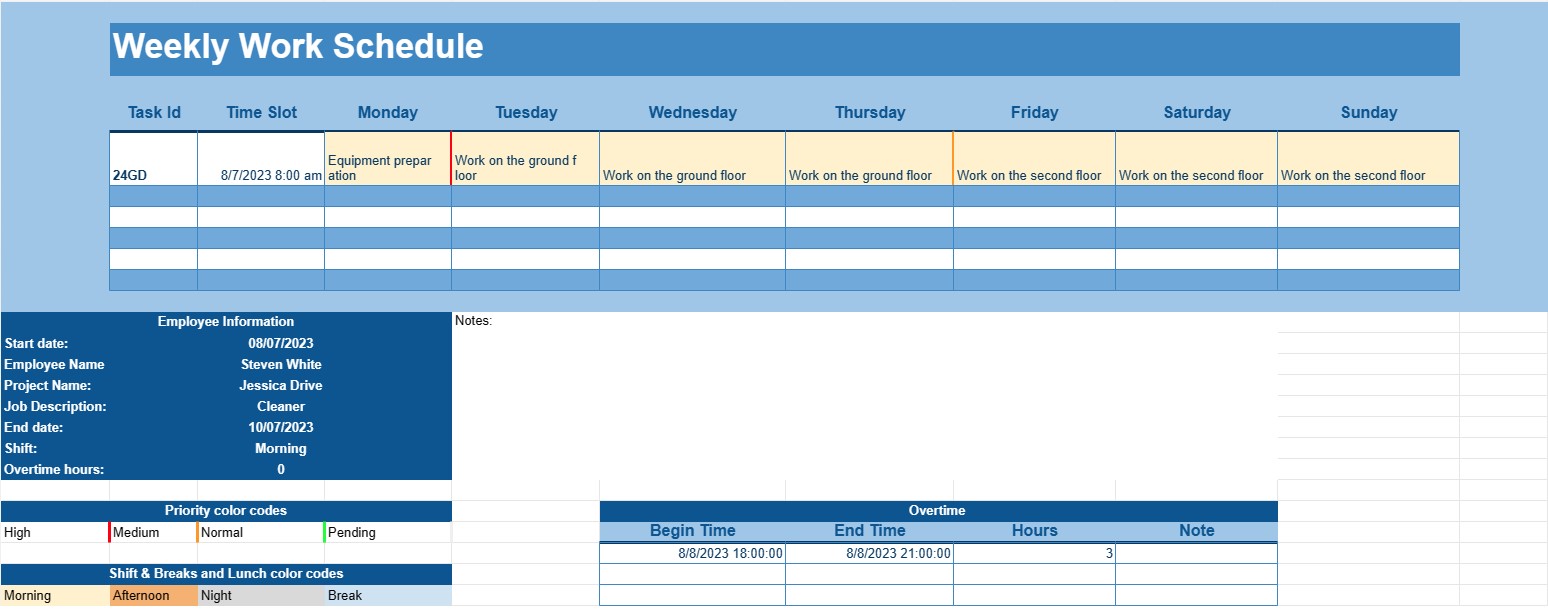
A Weekly Work Schedule Template is a structured document that helps individuals or businesses plan and organize their work commitments and assignments for a specific week. This template is a valuable tool for managing time effectively, ensuring that tasks are allocated efficiently, and keeping track of work-related responsibilities.
Key Components of a Weekly Work Schedule Template:
- Days and Hours: The template typically displays all the days of the week, starting from Monday and ending on Sunday. It is divided into hours or time slots, allowing users to allocate tasks or appointments for each day.
- Employee Information: For businesses, the template often includes sections or columns to list employees' names or team members. This helps in assigning tasks to specific individuals.
- Task or Assignment: Users can input the details of tasks or assignments that need to be completed during the week. This may include project names, job descriptions, or specific activities.
- Priority or Deadline: Some templates include a priority or deadline column, allowing users to prioritize tasks based on their importance or set due dates.
- Shifts: In workplaces with shift-based schedules, the template may include sections for morning, afternoon, and night shifts, along with employee assignments for each shift.
- Breaks and Lunch: Users can schedule break times and lunch periods to ensure that employees have adequate rest and meal breaks during their workdays.
- Overtime: If applicable, there may be a section for recording overtime hours worked by employees.
- Notes or Comments: Users can add notes or comments to provide additional information or instructions related to specific tasks or assignments.
Benefits of Using a Weekly Work Schedule Template:
- Efficient Time Management: Helps individuals and businesses allocate time and resources effectively to meet work-related goals and deadlines.
- Resource Allocation: Ensures that tasks are evenly distributed among employees or team members, preventing overwork or underutilization of resources.
- Visual Planning: Offers a visual representation of the week's schedule, making it easier to spot potential conflicts or overlaps.
- Improved Communication: Facilitates communication within teams by providing a centralized schedule that everyone can access and refer to.
- Enhanced Productivity: Enables individuals to focus on tasks without the need for constant scheduling and rescheduling.
- Flexibility: Allows for adjustments to the schedule as needed to accommodate changing priorities or unexpected events.
- Compliance: In some industries, having a well-documented work schedule is essential for compliance with labor laws and regulations.
In conclusion, a Weekly Work Schedule Template is an invaluable tool for businesses, managers, and individuals seeking to maintain an organized and efficient approach to their weekly work commitments. It aids in time management, resource allocation, and effective communication within teams, ultimately leading to improved productivity and better work-life balance. Whether used in a corporate setting or for personal time management, this template is a practical solution for planning and organizing weekly tasks and responsibilities.
ელცხრილის შაბლონის მარტივი გადახედვა და ჩამოტვირთვა
იხილეთ ელცხრილის შაბლონის სრული ვერსია შეზღუდვების გარეშე, რომ ნახოთ მოგწონთ თუ არა, შემდეგ შეგიძლიათ ჩამოტვირთოთ Excel-ის შაბლონი თქვენს მოწყობილობაში შესანახად და უფასოდ გამოიყენოთ.
წვდომა ცხრილების შაბლონზე ნებისმიერი ადგილიდან
ის მუშაობს ყველა პოპულარულ ოპერაციულ სისტემაზე, როგორიცაა Windows, MacOS, Linux, iOS. შეგიძლიათ იხილოთ ცხრილების შაბლონები და ჩამოტვირთოთ ისინი დამატებითი პროგრამების გარეშე.
როგორ გამოვიყენოთ შაბლონი
გაარკვიეთ, როგორ გადახედოთ, ჩამოტვირთოთ და შემდეგ გამოიყენოთ ელცხრილის შაბლონი, მიჰყევით ნაბიჯებს, რომელთა შესრულებაც ძალიან მარტივია
მეტი მსგავსი შაბლონები
იხილეთ ელცხრილების მეტი შაბლონები, რომლებიც იმავე კატეგორიაშია არჩეული.