
Simple Blood Sugar Tracker
دسته بندی : ردیاب ها
Integrate this with your device or give information to it manually, this will give you an idea on how to visualize the health data.
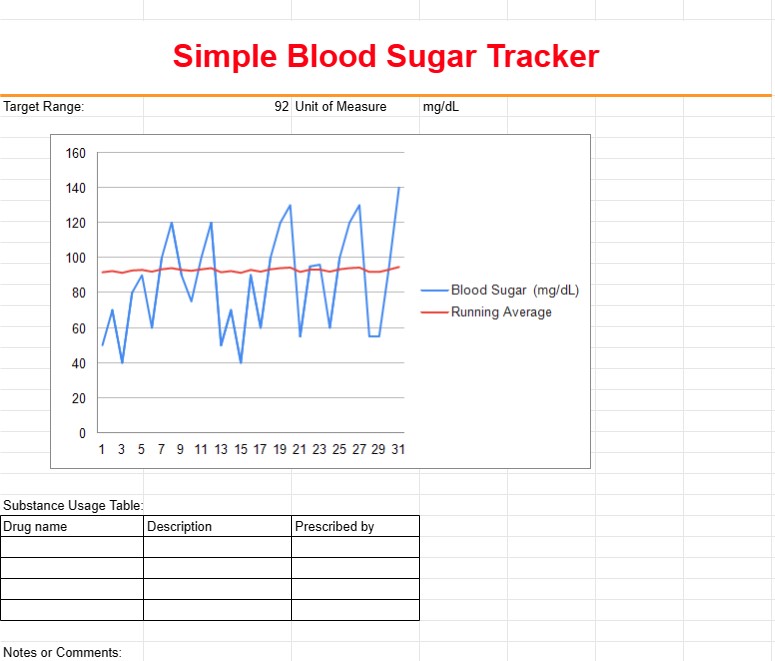
A Simple Blood Sugar Tracker Template is a tool used by individuals, particularly those with diabetes or other health conditions, to monitor and record their blood sugar levels over time. This template helps users track fluctuations in blood sugar, identify patterns, and share essential information with healthcare providers to manage their health effectively.
Key Components of a Simple Blood Sugar Tracker Template:
- Date and Time: The template includes columns for recording the date and time of each blood sugar reading. Users can enter multiple readings throughout the day.
- Blood Sugar Level: Users input their blood sugar levels in the corresponding columns, typically measured in milligrams per deciliter (mg/dL) or millimoles per liter (mmol/L).
- Before/After Meals: Users indicate whether each reading was taken before or after meals, helping to track how blood sugar responds to food intake.
- Notes or Comments: A section for users to add notes or comments about factors that may have influenced blood sugar levels, such as exercise, medication, or illness.
- Target Range: In some templates, users can set and track their target blood sugar range to see if their readings are within the desired range.
- Medication: If applicable, users can record the names and dosages of any medications or insulin they are taking.
Benefits of Using a Simple Blood Sugar Tracker Template:
- Monitoring: Provides a comprehensive overview of blood sugar levels over time, allowing individuals to monitor their health and identify trends.
- Pattern Recognition: Helps users recognize patterns in blood sugar fluctuations, such as spikes or drops, in response to different factors.
- Treatment Adjustment: Enables individuals and healthcare providers to make informed decisions about medication dosages, dietary adjustments, or lifestyle changes.
- Improved Communication: Facilitates communication between individuals and healthcare providers, as the recorded data can be shared during medical appointments.
- Medication Management: Helps individuals track the effectiveness of medications and insulin doses in maintaining stable blood sugar levels.
- Self-Management: Empowers individuals to take an active role in managing their health and making informed decisions about their diabetes care.
- Early Detection: Allows for early detection of potential issues or trends that may require medical attention.
In summary, a Simple Blood Sugar Tracker Template is a valuable tool for individuals managing diabetes or other health conditions that require monitoring of blood sugar levels. It assists in tracking, analyzing, and managing blood sugar data, ultimately contributing to better health outcomes and informed decision-making regarding treatment and lifestyle choices.
پیش نمایش آسان و دانلود الگوی صفحه گسترده
نسخه کامل یک قالب صفحهگسترده را بدون هیچ محدودیتی مشاهده کنید تا ببینید آیا آن را دوست دارید یا نه، سپس میتوانید الگوی اکسل را برای ذخیره آن در دستگاه خود دانلود کنید و به صورت رایگان از آن استفاده کنید.
دسترسی به الگوی صفحه گسترده از هر کجا
این بر روی تمام سیستم عامل های محبوب مانند Windows، MacOS، Linux، iOS کار می کند. می توانید قالب های صفحه گسترده را ببینید و بدون برنامه های اضافی دانلود کنید.
نحوه استفاده از قالب
نحوه پیشنمایش، دانلود و سپس استفاده از الگوی صفحهگسترده را با دنبال کردن مراحلی که انجام آن بسیار آسان است، بیابید.
الگوهای مشابه بیشتر
الگوهای صفحهگسترده بیشتری را مشاهده کنید که در یک دسته با الگوی انتخابی قرار دارند.













