Faktura 1
Kategori : Fakturaer
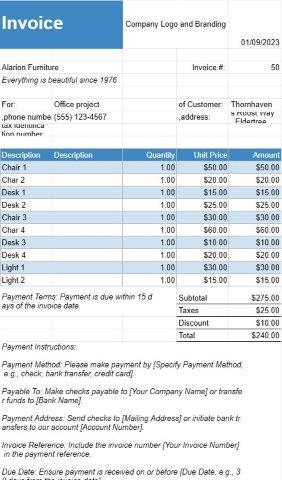
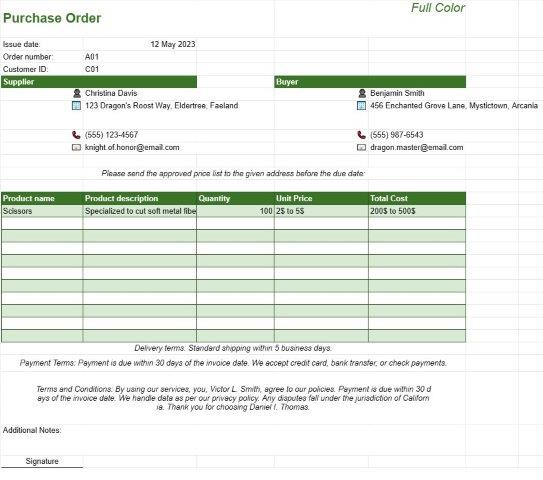
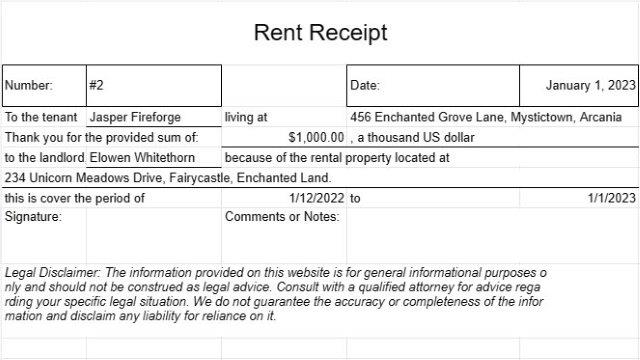
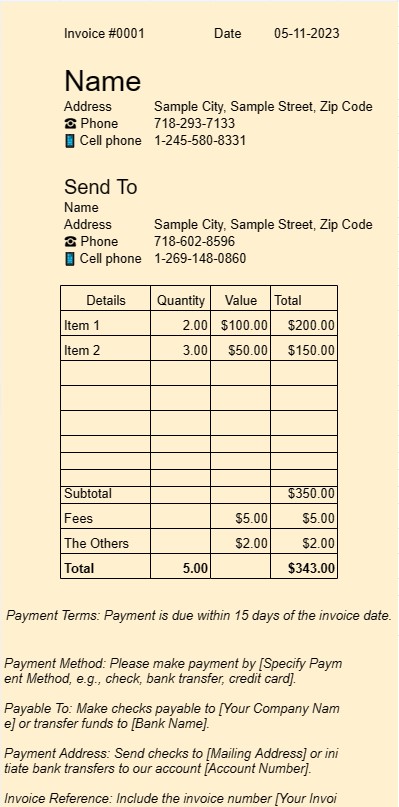
Dette er en skabelon til at bruge som en faktura, brugeren kan angive service eller varer på fakturaen
Et Invoice One-skabelondokument er et standardiseret og professionelt format, der bruges til at generere fakturaer i forskellige forretningsindstillinger. Det er et afgørende værktøj for både freelancere, små virksomheder og større virksomheder.
Det primære formål med et Invoice One-skabelondokument er at lette fakturering af kunder eller kunder for solgte produkter eller ydelser. Her er nøgleelementerne og funktionerne i et Invoice One-skabelondokument:
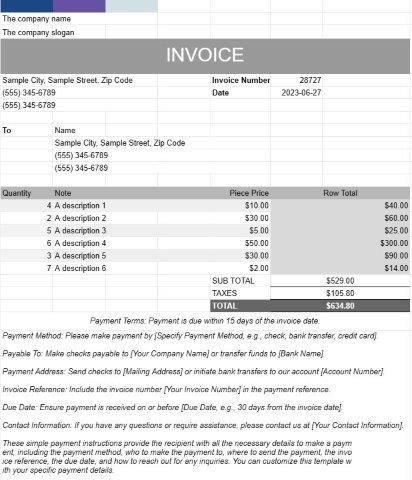
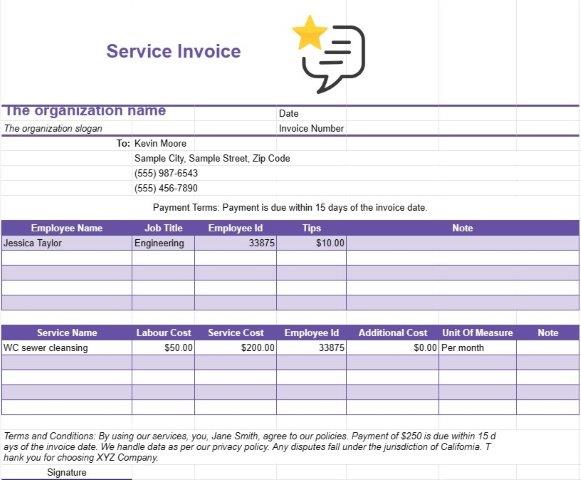
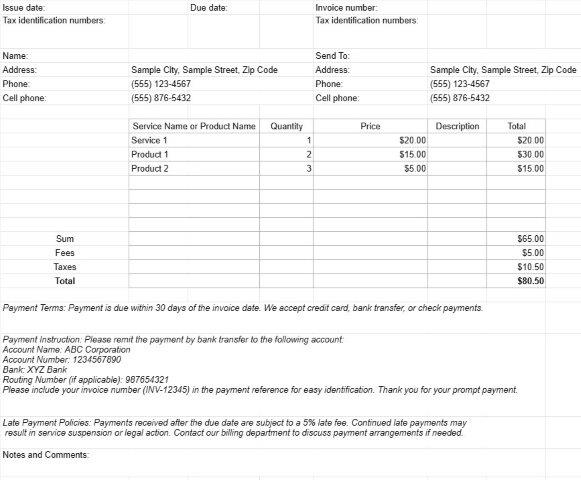
- Kundeoplysninger: Det omfatter typisk felter for kundens navn eller firmanavn, kontaktoplysninger og Betalingsadresse. Dette sikrer, at fakturaen når frem til den rigtige modtager.
- Fakturadetaljer: Dette afsnit beskriver detaljerne for fakturaen, herunder fakturanummer, udstedelsesdato og forfaldsdato. Det unikke fakturanummer hjælper både afsender og modtager nemt at referere til fakturaen.
- Specificerede gebyrer: Hjertet i en faktura ligger i den specificerede liste over leverede produkter eller tjenester. Hver linjepost indeholder en beskrivelse af produktet eller tjenesten, antal, enhedspris og samlede omkostninger. Dette detaljeringsniveau sikrer gennemsigtighed og klarhed i faktureringsprocessen.
- Subtotaler og totaler: Skabelonen beregner automatisk subtotaler for individuelle linjeposter og sammenholder dem for at vise det samlede skyldige beløb . Det kan også indeholde felter for skatter, rabatter og forsendelsesomkostninger, afhængigt af transaktionens art.
- Betalingsbetingelser: Invoice One-skabeloner indeholder ofte et afsnit, der specificerer betalingsbetingelserne. , såsom forfaldsdato og acceptable betalingsmetoder. Klare betalingsbetingelser hjælper med at undgå forvirring og sikrer rettidige betalinger.
- Yderligere bemærkninger: Der er normalt plads til at tilføje yderligere bemærkninger eller kommentarer, så afsenderen kan give den nødvendige kontekst eller instruktioner.
- Virksomhedslogo: Mange virksomheder vælger at inkludere deres firmalogo på fakturaen til brandingformål. Dette forstærker fakturaens professionalisme.
- Kontaktoplysninger: Skabelonen viser typisk kontaktoplysningerne på den virksomhed eller person, der sender fakturaen. Dette sikrer, at modtageren nemt kan nå ud for eventuelle forespørgsler eller afklaringer.
- Optegnelse: Fakturaer, der er genereret ved hjælp af et Invoice One-skabelondokument, fungerer som væsentlige poster for både afsenderen og modtager. De dokumenterer transaktionsoplysningerne, hvilket kan være nyttigt til regnskaber, skatteformål og tvistbilæggelse.
- Tilpasning: En af fordelene ved at bruge skabeloner er muligheden for at tilpasse dem til passer til specifikke forretningsbehov. Brugere kan tilpasse skabelonen, så den matcher deres branding, tilføje eller fjerne felter efter behov og skræddersy den til forskellige typer transaktioner.
Som konklusion strømliner et Invoice One-skabelondokument faktureringsprocessen, øger professionalismen og hjælper virksomheder og freelancere med at få betalt hurtigt for deres produkter eller tjenester. Det er et uundværligt værktøj til at styre de økonomiske aspekter af enhver virksomhed.
Nem forhåndsvisning og download regnearkskabelon
Se den fulde version af en regnearksskabelon uden begrænsninger for at se, om du kan lide den, så kan du downloade excel-skabelonen for at gemme den på din enhed og bruge den gratis.
Få adgang til regnearksskabelon fra hvor som helst
Dette fungerer på alle populære operativsystemer såsom Windows, MacOS, Linux, iOS. Du kan se regnearksskabelonerne og downloade dem uden yderligere programmer.
Sådan bruger du en skabelon
Find ud af, hvordan du kan forhåndsvise, downloade og derefter bruge regnearksskabelonen ved at følge trinene, som er ekstremt nemme at følge
Flere lignende skabeloner
Se flere af regnearksskabelonerne, som er under samme kategori med den valgte.